Windows 环境使用
# 1.1 在 PowerShell 先执行一次(只对当前窗口生效)
fnm env --use-on-cd --shell powershell | Out-String | Invoke-Expression
# 1.2 安装并启用 Node 24 LTS
fnm install 24
fnm use 24
fnm default 24
# 验证
node -v
npm -v
# `fnm default` 用来设置默认版本(不在项目目录时也能用)
# 1.3 让它“永久生效”(每次打开 PowerShell 都自动有 node/npm)
# 编辑 PowerShell Profile:
notepad $PROFILE
# 在文件末尾加入这一行:
fnm env --use-on-cd --shell powershell | Out-String | Invoke-Expression
# 保存后**关闭并重新打开 PowerShell**,再 `node -v` 确认。
#(Windows 上用 fnm 必须做这步,否则经常出现“新开窗口 node 又没了”的情况。)
# 如果你保存 Profile 时提示执行策略限制,可运行:
Set-ExecutionPolicy -Scope CurrentUser RemoteSigned
# 安装 Codex CLI(推荐装 latest)
# OpenAI 官方文档给的安装方式是 npm 全局安装:
npm i -g @openai/codex@latest
# 验证:
codex --version
# 启动:
codex
# 首次运行会提示你认证:用 ChatGPT 账号登录最省事,或用 API Key。
Docker 环境使用
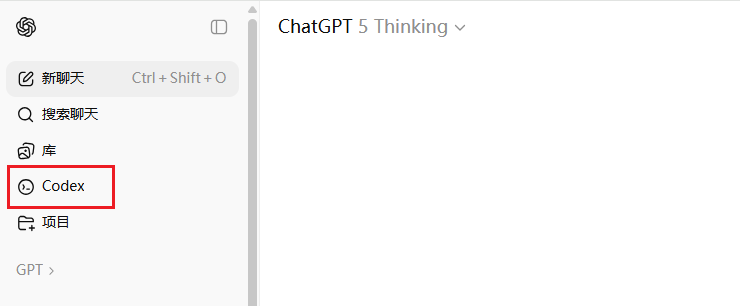
目前 ChatGPT Plus、Team、Pro 等付费会员都可以使用,直接在网页版就有 Codex 入口。
如果在 windows 下已经通过打开 chatgpt.com 认证,可以直接复制认证文件过去即可
cp /opt/mnt/e/workspace/auth.json /opt/mnt/e/workspace/config.toml ~/.codex/
services:
  php74:
    image: php:php-74-fpm-nginx-supervisor-alpine-20250918
    container_name: php74
    restart: unless-stopped
    networks:
      - shared-network
    ports:
      - 80:80
    volumes:
      - /var/www/html:/var/www/html2
      - /root/.codex:/root/.codex
networks:
  shared-network:
    external: true
# alpine v3.16
root@localhost:~# docker exec -it php74 /bin/sh
/var/www/html # apk update
/var/www/html # apk add --no-cache bash curl git nodejs npm
/var/www/html # npm install -g @openai/codex完成后显示一个炫酷的图标,然后让你选择认证的方式,打开Url或者输入API Key。
> 1. Sign in with ChatGPT
     Usage included with Plus, Pro, and Team plans
  2. Provide your own API key
     Pay for what you use
使用方法
/opt/mnt/e/www/app # history
   0 ls
   1 ls /opt/mnt/e/
   2 ping google.com
   3 apk add --no-cache bash curl git python3 py3-pip nodejs npm build-base
   4 npm -v
   5 node -v
   6 npm install -g @openai/codex
   7 codex --version
   8 cd /opt/mnt/e/www/app
   9 ls
  10 codex
  11 cp /opt/mnt/e/workspace/auth.json /opt/mnt/e/workspace/config.toml ~/.codex/
  12 ls
  13 ls ~/.codex/
  14 codex --version
  15 codex -help
  16 codex
  17 history
参考资料
- ChatGPT Plus(其它自行查阅)使用限制:
本地任务:普通用户每5小时可以发送30-150条消息,每周有限制。https://help.openai.com/zh-hans-cn/articles/11369540-using-codex-with-your-chatgpt-plan#h_d93a168dde